After many posts on Facebook’s developer forum I was finally able to get Facebook’s new Connect Comments Box Widget working under Wordpress 2.7.1.
To add the Comments Box to your site, follow these instructions:
Step 1 – Set up a basic Connect application
If you don’t have a basic Facebook Connect application, you should set one up now. When you do, be sure to note the API key and specify a callback URL to your website (you will use the API key in a second).
Step 2 – Get Facebook’s cross-domain file
Download Facebook’s cross-domain receiver file, and upload it to your website’s root folder. This should be your Wordpress root and not your theme’s root.
Step 3 – Edit the files
Now go to your theme’s directory (<path to wordpress install>/wp-content/themes/<yourtheme>) and edit the following files:
header.php
Within the <html> tag, add:
xmlns:fb="http://www.facebook.com/2008/fbml"
For example, my <html></html> tag looks like this:
<html xmlns="http://www.w3.org/1999/xhtml" dir="ltr" lang="en-US" xmlns:fb="http://www.facebook.com/2008/fbml“>
comments.php (or any other file you want your Facebook Comments Box Widget to appear):
Next, open the file where you want your Facebook Connect Comments Box to go and drop in this code:
<script src="http://static.ak.connect.facebook.com/js/api_lib/v0.4/FeatureLoader.js.php" type="text/javascript"></script><
fb:comments></fb:comments>
<script type="text/javascript">
FB.init("YOUR_API_KEY_HERE“,"<?php bloginfo('url');?>/xd_receiver.htm");</script>
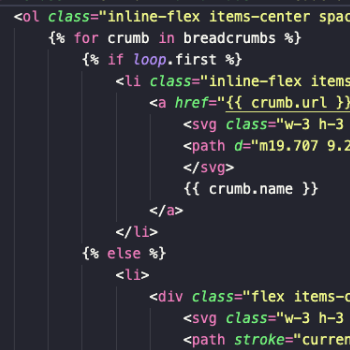
Mine looks like this:
<?php if ('open' == $post->comment_status):?>
<script src="http://static.ak.connect.facebook.com/js/api_lib/v0.4/FeatureLoader.js.php" type="text/javascript"></script>
fb:comments></fb:comments>
<script type="text/javascript">
FB.init("MY_API_KEY_HERE", “<?php bloginfo('url'); ?>/xd_receiver.htm");
</script>
<a name="fbcomment">
<?php endif; ?>
You may have noticed that mine is slightly different that the one above it:
- I put mine in between an if statement that checks to make sure comments are enabled for the post.
- I also added an anchor name below the comments box so that I can link to the comments section from my index page.
Both of these are optional.
Step 4 – Give it a run
That should work – load up your page and give it a refresh. If you run into trouble, check the official documentation here and here, but be aware that it is not Wordpress specific, whereas the stuff above is. Also, if you are looking to customize your Facebook Comments Box Widget CSS or want to control some of the output, take a look at the Facebook Developer Wiki article.